I use obsidian and obsidian-git, an open community plugin, to track text files. Using git, I’ve successfully tracked changes across text files. Recently, I started working with large text files. The files exceeded the upload limit to GitHub.
Tracking large files using git?
Therefore, I downloaded, installed, and configured git-lfs. I successfully used the executable command via the terminal. However, I encountered the following error when I pushed the changes in obsidian using the controls provided by obsidian-git:
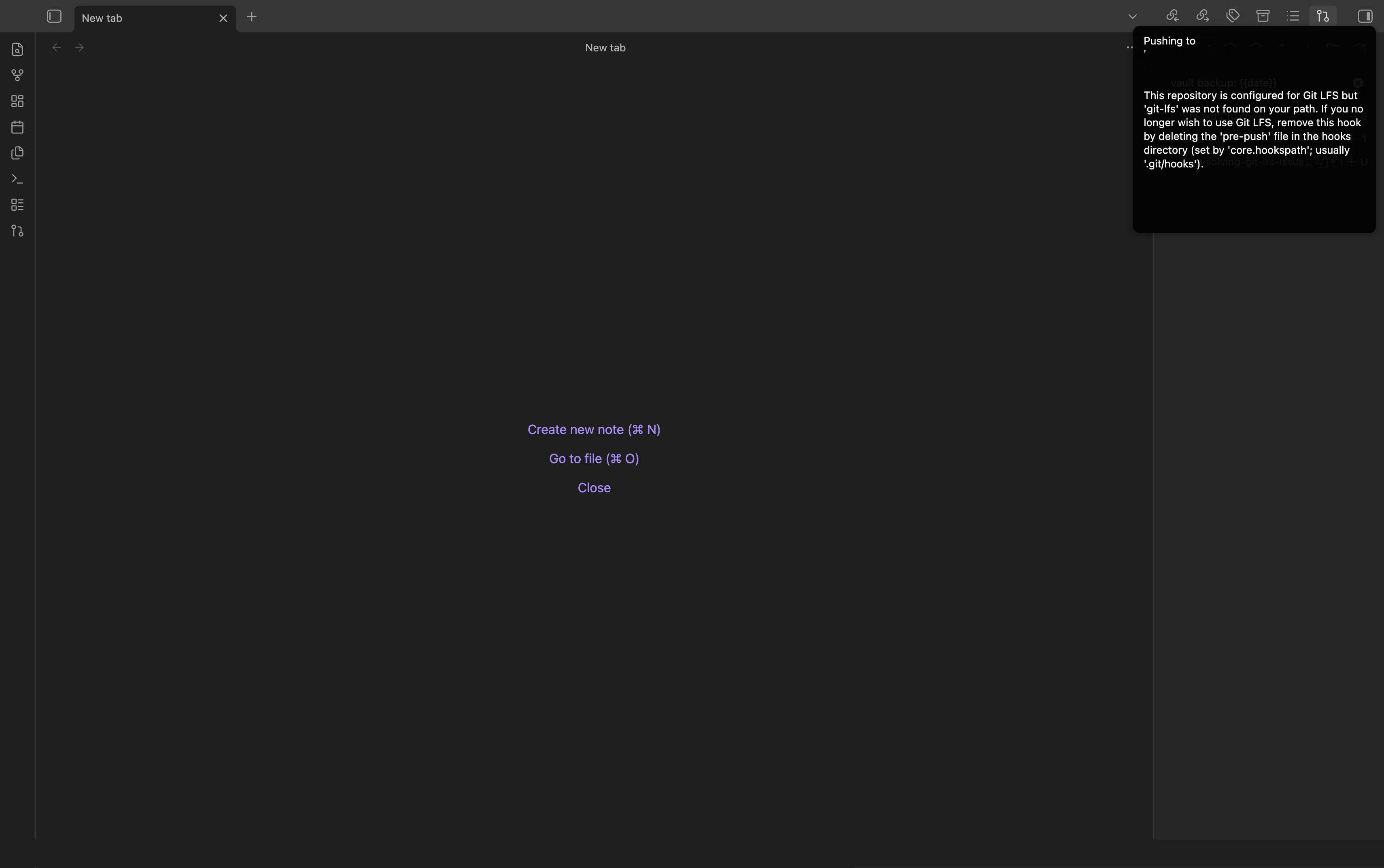
To execute the command in the terminal, I downloaded git-lfs, installed it, and configured it. To make git-lfs work in obsidian, I had to ensure it was downloaded first, installed, and finally, properly configured.
Making git-lfs work in obsidian-git
By downloading and installing git-lfs via the terminal, the command could be used in a command-line context. This is because its executable command could be located by the PATH environment variable.
Could it be that it is missing in obsidian-git’s path variable
Indeed! It was missing. To add the path variable:
- Identified the command’s location:
which git-lfs- Added the containing directory to obsidian-git’s path environment variable
Well, that solved my problem. Simple, isn’t it? Now, I happily push large text files to GitHub via obsidian. I had to properly configure the tool by adding a path environment variable.